iPECS, the phone system built around your team
- Cloud or on site, whichever suits you.
- Desk, mobile and PC, one extension.
- One bill and one point of contact.

One system for calls, chat and video. However your team works
Whether your team is in the office, at home, out on the road or across several sites, iPECS keeps everyone connected on one simple system.
Customers reach the right person first time. Your team can see who’s free, message a colleague or pick up a call from any device. And because Kee sets it up and looks after it, you get a real person to call whenever you need help.
iPECS Cloud
Hosted for you, so there’s no phone system to keep in your building. Ideal for hybrid teams and growing businesses.
iPECS on site
A system in your building, from small offices to large multi site organisations, with built in redundancy options.
A better day for every role
See who’s free and transfer with one click.
Wallboards and reports on calls and costs.
Your desk extension on your smartphone.
Queue announcements keep callers informed.
Work just as you would in the office.
Make changes yourself in a simple web portal.
DECT handsets keep you reachable on the move.
Better service and costs under control.
Everything you need from a business phone system
The only app you need for business calls
iPECS ONE puts your phone system on your mobile and in your web browser, with nothing to install on your PC.
Calls
Make, take, transfer and record calls from your mobile or PC, or control your desk phone from the screen.
Chat
One to one and group chat, file sharing, and conversations that follow you across devices.
Video and Spaces
Video calls and team Spaces for meetings, messaging and screen sharing, with guest access.
CONNECT: all your tools in one screen
- Outlook and Gmail: contacts, calendars and screen pops.
- CRM: HubSpot and Zoho ready to go, with call logging.
- Projects and time: Asana, ClickUp and Clockify.
- Zapier to automate repetitive tasks.
- Click to dial any number on a web page.
- Custom links to any system with an API.
Make more of iPECS
Add ons that help you win more enquiries and look after customers, all on the same bill.
ENGAGE website chat
A chat button on your website. Customers can message, call or video call you in one click, with AI that answers questions 24/7.
CONNECT integrations
Outlook, Gmail, HubSpot, Zoho and more in one screen, with screen pops and click to dial. Custom links for any system with an API.
Call recording
Record calls securely for training, compliance and peace of mind, including conference calls.
Call reporting and wallboards
See call volumes, missed calls and queue times, with wallboards to show the team when it’s busy.
Reception console
An on screen operator console that helps your front desk handle high call volumes.
Not sure what you need?
Tell us how you work, and we’ll be honest about what’s worth having.
Book a callA phone for every desk
Every phone comes set up and ready on your iPECS system. All have HD audio, a full duplex speakerphone and Power over Ethernet.
Desk phones
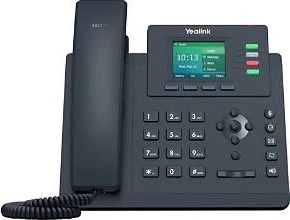
Yealink T33G
- 2.4 inch colour display
- 4 accounts, 4 line keys
- Best for reception backups, shared areas and light users
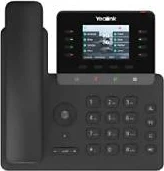
Yealink T73U
- 2.8 inch colour display
- 12 accounts, 8 line keys
- Bluetooth and WiFi as optional add ons
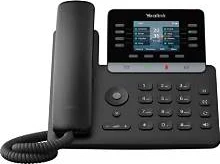
Yealink T73W
- 2.8 inch colour display
- Built in Bluetooth 5.0 and WiFi 6
- Best for hybrid desks and hot desks
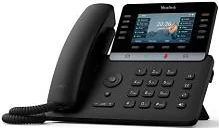
Yealink T74W
- 4.3 inch colour display
- Built in Bluetooth 5.0 and WiFi 6
- 16 accounts, 10 line keys
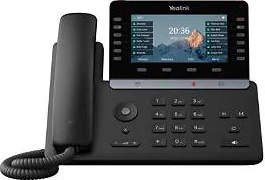
Yealink T85W
- 5.5 inch colour display
- Built in Bluetooth 5.0 and WiFi 6
- Best for managers, reception and heavy phone users
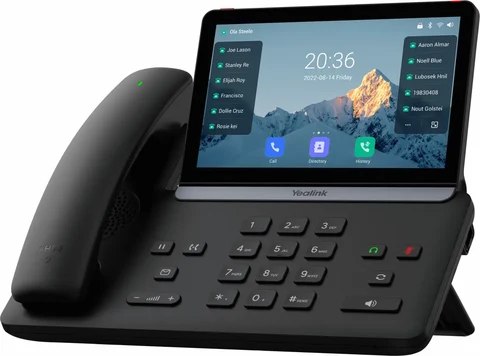
Yealink T88W
- 7 inch Android touch screen
- Built in Bluetooth 5.0 and WiFi 6
- Best for directors and executives
Conference and specialist phones
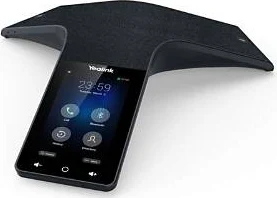
Yealink CP925
- 4 inch touch screen
- 6 mic array, 360 degree, up to 6m pickup
- Bluetooth and WiFi built in
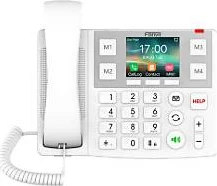
Fanvil X305
- 10 large keys with Braille dots, 4 photo speed dial keys
- HELP key and hearing aid compatible handset
- On iPECS: makes and receives calls only, no call transfer
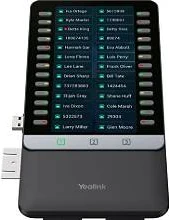
Yealink EXP55
- 5.5 inch colour screen
- 78 extra keys across 3 pages
- Works with T73, T74, T85 and T88, up to 3 linked
Conference phones are supplied without a power supply, so they need a PoE network port or a separate adapter. We also supply the larger Yealink CP965 for medium and large rooms.
Headsets
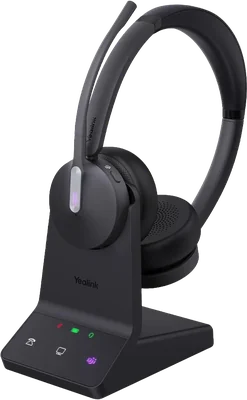
Yealink BH70 Dual
- Bluetooth 5.3 with USB A dongle
- Up to 35 hours talk time
- 3 mics, busylight, Teams approved
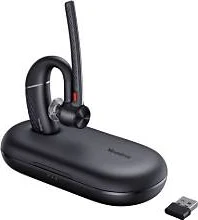
Yealink BH71 Pro
- Tiny ear hook design
- Up to 10 hours, plus about 20 from the case
- 4 mic noise cancellation

Yealink BH74
- Active noise cancelling, 6 mics
- Up to 32 hours talk time
- Charging stand and dual busylights

Yealink BH76 Plus
- 3 level active noise cancelling, 5 mics
- Up to 35 hours talk time
- Connects 2 devices at once
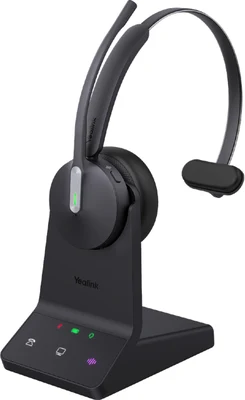
Yealink WH64 Mono
- DECT and Bluetooth, charging base
- 14 to 26 hours talk time
- Connect PC, desk phone and mobile
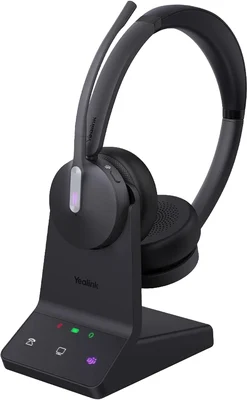
Yealink WH64 Dual
- DECT and Bluetooth, charging base
- 14 to 26 hours talk time
- 3 mic noise cancellation
Not sure which fits? Book a call and we’ll help you choose.
Rated 5.0 from 61 Google reviews
“The team took the time to understand exactly what we needed, explained our options clearly, and made the whole process feel effortless.”
“Fantastic ownership & support throughout the process, from initial enquiry to migration of phone line & broadband service.”
“There’s no better business for phone systems, internet, and more general support.”
“They respond and deliver our telephones promptly and nothing is ever too much trouble!”
Your questions answered
What is iPECS?
Cloud or on site?
Can we use it on our mobiles?
Can we keep our numbers?
Does it work with Outlook and our CRM?
Can calls be recorded?
Can customers reach us from our website?
Do we need new phones?
How many users can it handle?
How do we get started?
Download the brochures
Everything on this page, ready to read later or share with your team. Free, no form to fill in.
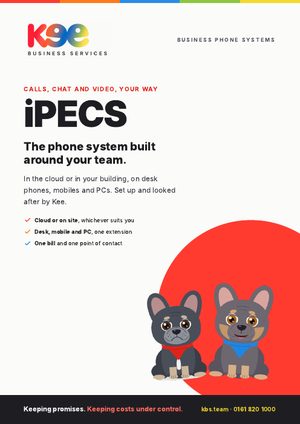
The phone system built around your team
Why iPECS, everything you get, the iPECS ONE app, add ons and desk phones.
Download the brochure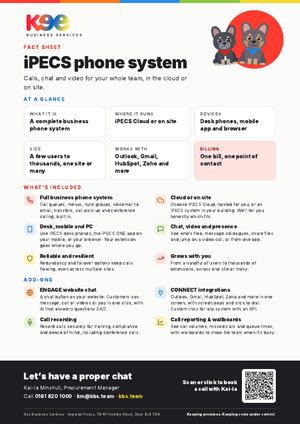
Everything at a glance, plus FAQs
What’s included and the add ons on one page, plus answers to the questions we get asked most.
Download the fact sheet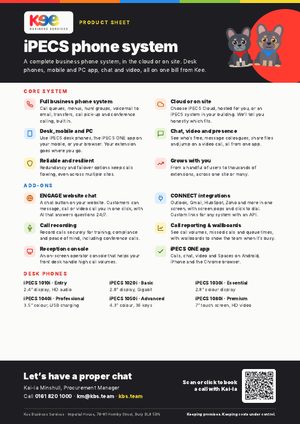
Core system, add ons and desk phones
The whole iPECS offer on a single page, ready to print or pass round the office.
Download the product sheetUseful tips, offers and news from Kee
Sasha and Suzie will be in touch now and again with things worth knowing about phones, costs and suppliers. No spam, and you can unsubscribe at any time.
One partner for your whole phone system